Log in to Specdio
Log in with a password, a 6-digit email code, Google or Microsoft — and get back in if you forgot your password.
Before you start
- The email you signed up with.
Step 1: Open the log-in page
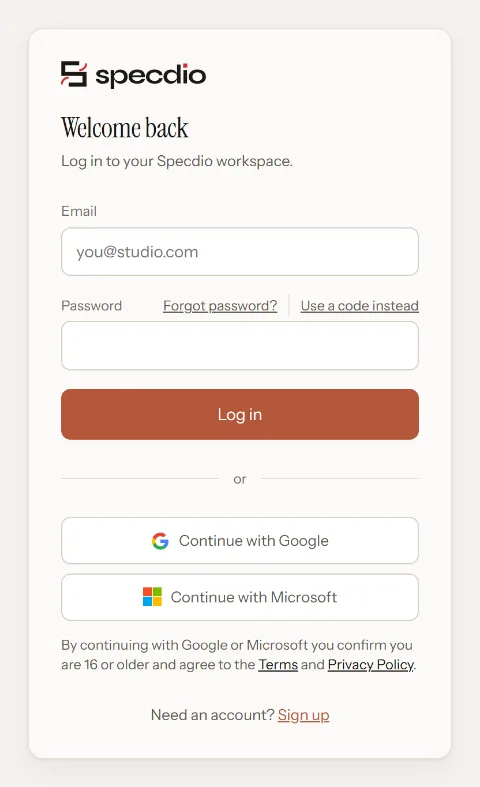
Go to Log in. You will see Welcome back.
Step 2: Log in with your password
Type your Email and Password, then press Log in.
Tip: Signed up with Google or Microsoft? Press Continue with Google or Continue with Microsoft instead — there is no Specdio password to type.
Step 3: Or log in with a code — no password
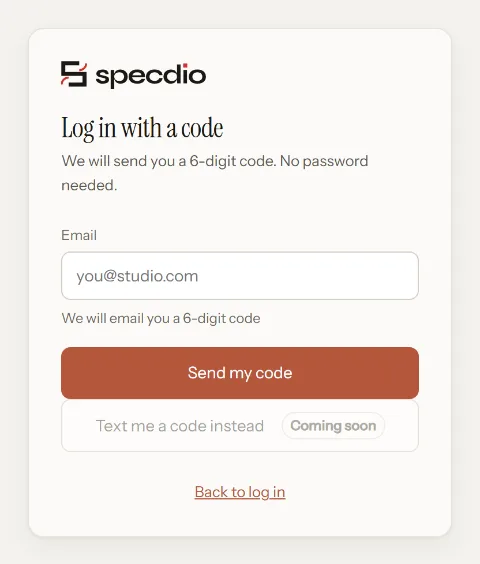
Press Use a code instead. Type your email and press Send my code.
Open the email from Specdio and type the 6-digit code. You are logged in as soon as the last digit goes in.
Tip: The code did not arrive? Wait a minute, check Spam, then press Send it again.
Step 4: You land where you were going
If a page sent you to log in, you go straight back to it. Otherwise studio people land on Home and clients land on Shared with me.
If something goes wrong
I forgot my password
Press Forgot password? on the log-in page, type your email and press Send reset link. The link works once, for about an hour. Or skip the password and use a code.
“Too many reset emails”
Wait a few minutes and try again, or log in with a code instead.
It asks me to agree to the terms again
Accounts made with Google or Microsoft confirm the terms once, on One last step. Tick the box and press Continue. It will not ask again.